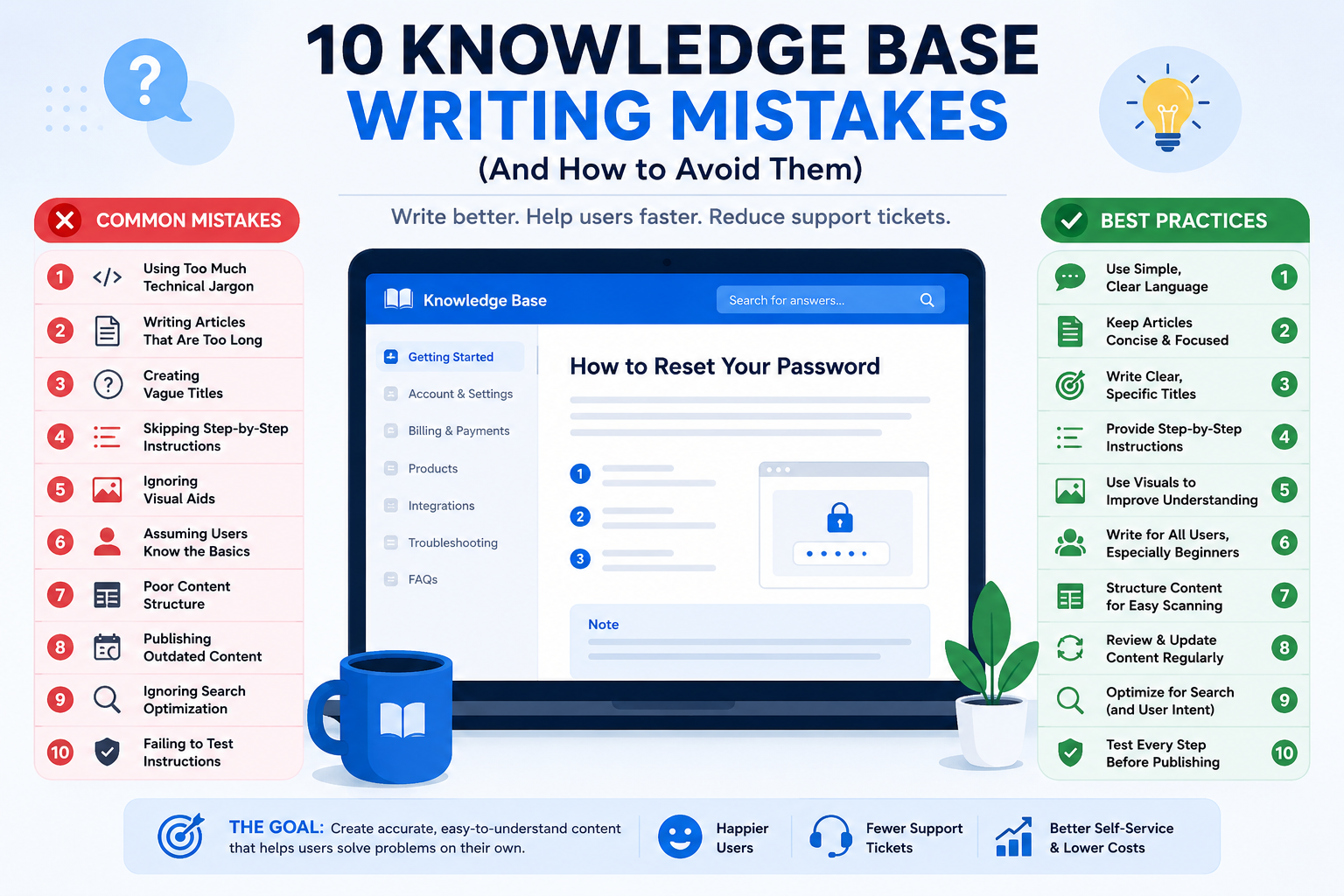
A knowledge base can significantly reduce support tickets, improve customer satisfaction, and empower users to find answers on their own. However, even the best knowledge base software cannot compensate for poorly written articles.
If users struggle to understand your content, find irrelevant information, they are likely to contact support instead of using self-service resources.
In this guide, we'll explore ten common knowledge base writing mistakes and explain how to avoid them.
Many knowledge base writers are experts in their products and unintentionally use technical terms that customers may not understand.
Users often have varying levels of technical knowledge. Excessive jargon can make articles difficult to understand and discourage users from continuing.
Use simple language whenever possible. If technical terms are necessary, explain them clearly the first time they appear or create a glossary link for them.
Example:
Instead of:
"Authenticate using SAML assertions."
Write:
"Sign in using your organization's Single Sign-On (SSO) system."
Long articles can overwhelm users who are looking for quick solutions.
Most users visit a knowledge base with a specific question in mind. They want answers quickly, not lengthy explanations.
Focus each article on a single topic or task. If a subject is complex, divide it into multiple linked articles.
Tip: Remove unnecessary background information and keep the content solution-focused.
Your article title is often the first thing users see in search results.
Vague titles make it difficult for users to determine whether an article contains the information they need.
Use descriptive titles that clearly explain what the article covers.
Poor Examples:
Account Issues
Login Problems
Troubleshooting Guide
Better Examples:
How to Reset Your Password
How to Fix Login Errors
How to Update Your Account Email Address
Users need clear guidance, especially when performing tasks.
Articles that explain concepts without providing actionable steps often leave users confused.
Present procedures using numbered instructions.
Example:
Log in to your account.
Open Settings.
Select Security.
Click Change Password.
Save your changes.
This format makes tasks easier to follow and reduces user errors.
Screenshots and diagrams can simplify complex processes.
Text alone may not be enough to explain user interfaces or complicated workflows.
Include screenshots, annotated images, or short videos where appropriate.
Visual aids can help users understand instructions faster and improve task completion rates.
Knowledge base writers often overlook steps that seem obvious to them.
What seems simple to an expert may be confusing to a first-time user.
Write for beginners and include all necessary steps, even if they appear basic.
Remember that your audience may have little or no prior experience with your product.
Large blocks of text can make articles difficult to read.
Users typically scan articles rather than reading every word.
Organize content using:
Headings
Subheadings
Bullet points
Numbered lists
Short paragraphs
A well-structured article improves readability and helps users find information faster. With PHPKB's WYSIWYG editor, authors can easily format articles using headings, lists, tables, and other rich-text elements without requiring HTML knowledge, making it simpler to create clear and well-organized documentation.
Products, interfaces, and workflows change over time.
Outdated articles can confuse users and create frustration when instructions no longer match the product.
Review and update articles regularly.
Pay special attention to:
Screenshots
Navigation paths
Feature names
External links
Product updates
Keeping content current improves trust and reduces support requests.
Even excellent articles are useless if users cannot find them.
Users often search using customer-friendly language rather than internal company terminology.
Research common user queries and incorporate those phrases into article titles, headings, and content.
Example:
If users search for "change password," ensure that phrase appears naturally throughout the article.
Writers sometimes publish articles without verifying the accuracy of the steps.
Even a small mistake can prevent users from completing a task successfully.
Before publishing:
Follow the instructions yourself.
Verify all screenshots.
Check every link.
Ask another team member to review the article.
Testing ensures your content is accurate and reliable.
Writing effective knowledge base articles is not just about documenting information—it's about helping users solve problems quickly and independently. By avoiding these common writing mistakes, you can create content that is easier to understand, easier to find, and more useful to your audience.
A well-maintained knowledge base improves the user experience, reduces support workload, and increases customer satisfaction. Small improvements in content quality can have a significant impact on the success of your self-service strategy.
Article ID: 420
Created: June 16, 2026
Last Updated: June 17, 2026
Author: Rinky Batra [rinky@phpkb.com]
Online URL: https://www.phpkb.com/kb/article/10-common-knowledge-base-writing-mistakes-420.html